
One clear price. Extras only when you actually need them.
The complete booking system works without portal add-ons. Calendar sync, Channel Manager and AI chat remain transparent, optional choices.
Simple, fair pricing
Cancel monthly, no commission on your bookings — and your system is ready in minutes.
Keep it Simple
Up to 50 areas & individual rentals · All booking features included
Final price – no VAT is added. For businesses in the EU, the reverse charge procedure applies.
Your booking page and admin access are created automatically after purchase. You set up units, prices and seasons yourself, step by step.
See exactly what is included →- All booking features included
- 0% booking commission
- All seven languages included
- Cancel anytime
- German servers & daily backups
- Website editor for your own website
30-day money-back guarantee. If it isn't right for you, one email within 30 days is enough — you get everything back, no questions asked.
Want to watch first? The guide in short videos →We answer questions and error reports by email. How support works →
More than 50 pitches? We count areas, not individual pitches.
One pitch area counts as one unit. Each pitch remains individually bookable, with its own name and price. Holiday homes, rooms, vehicles, bicycles and boats each count individually. Areas and individual rentals are added together.
Another 8 holiday homes? That makes 13 of your 50 included units.
More than 50 areas and individual rentals combined? Request a custom offer.Your system. Set up by you. Ready to start.
After purchase, your access arrives by email. Set up units, prices and seasons yourself and share your booking link when everything is ready. No setup appointment needed. Questions? Write to us and we reply in writing.
Everything for your independent start
- Your own booking system with your chosen web address and admin access
- Quick start and guided tours for units, prices and seasons
- Import bookings yourself from CSV — with column mapping and preview
- Check occupancy yourself and publish your booking link at your own pace
Three steps to your booking system
What would you like to rent out?
Open the access link in your email and choose quick start. Add something guests can book, such as a pitch, holiday apartment or vehicle. Give it a name and a base price. Your first listing is created.
Make it your own
Add photos and a short description. If your summer prices are different, enter the dates and the price for that period. Guided tours show you where to find everything. You can change these details later.
Take a look — then start
Open your booking page and look at it as a guest would. Do prices and available dates look right? Then share your booking link or add it to your website. You decide when you are ready.
Basic setup needs no appointment or approval from us. Quick start, tours and import are available in your admin area. Contact us if you have questions.
Try the demo without registration. Import your customer data only into your own system.
Check your export privately nowAlready have bookings? Move them yourself.
First check your export locally in this browser. Then open CSV import in your own system, map columns and review the preview. Import starts only when you confirm.
Check the export before switching
Open your export locally in the browser. Neither the file nor customer data is sent to us.
Reconcile booking by booking
Map columns and check dates and details in the preview. After import, the result lists imported and skipped rows as well as errors.
Go live only after your approval
You review the new calendar first. Only when it is right do you publish the new booking link.
Booking data you can importWhere included in the export: arrival and departure, unit or pitch, status, amount, guest name, email, phone, language and notes; plus pitch number, number plate or vehicle where applicable.
Your old system remains untouchedImport a copy into your own KISB system. Your old system stays unchanged. Keep the original export for comparison and your old system as an archive if needed.
Check your export privately now
Open your booking export. We automatically check which data we recognise, directly on your device. If the booking type is unclear, we ask you.
No upload, no storage and no email. The contents are evaluated locally in this browser tab and disappear when you close or reset it.
CSV, TSV or TXT up to 10 MB. For an Excel file, use “Save as CSV” first.
This local check examines file structure. You perform the actual import with column mapping and preview in your admin area. Invoice archives, payment histories and messages are not imported.
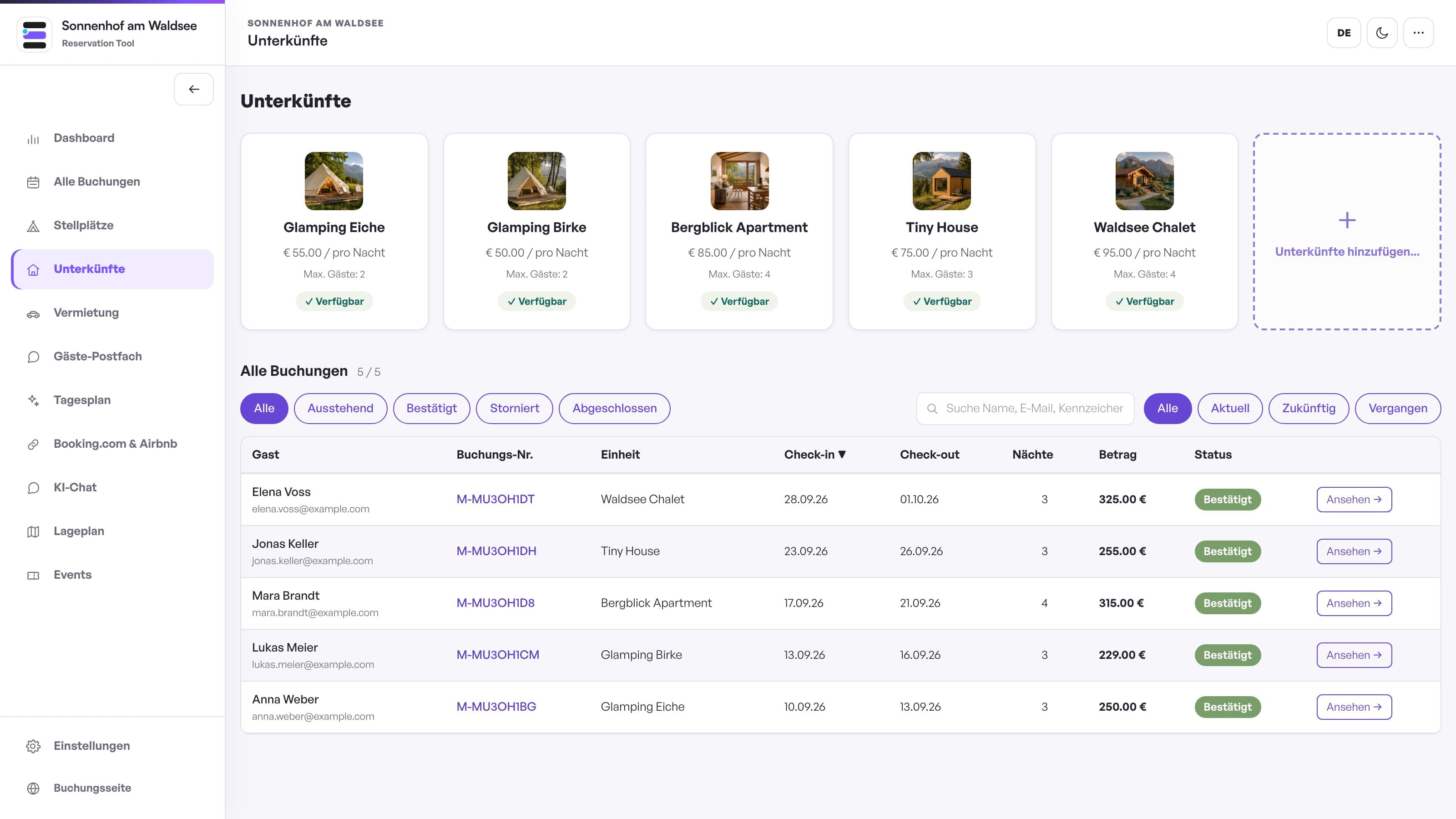
The complete booking system. One price.
One pitch area counts as one unit. Each pitch remains individually bookable, with its own name and price. Holiday homes, rooms, vehicles, bicycles and boats each count individually. Areas and individual rentals are added together.
Optional add-ons — only when you need them
The regular booking system remains complete. Portal synchronisation and AI chat can be added separately.
KIS only
€49.90/month. No portal add-on needed.
KIS + Calendar Sync
+€19.90/month per business.
Availability via iCal for all accommodation. No rates or booking details; portal refreshes are delayed.
KIS + Full Channel Manager
+€79.90/month per connected business or location.
All accommodation synced at that business is included. 0% booking commission and cancellable monthly.
Calendar Sync via iCal
Available nowKeeps occupied dates aligned between Keep it Simple Booking, Airbnb and Booking.com at a low monthly price.
KIS imports portal calendars every 15 minutes and gives every accommodation a protected calendar URL for the portals to import.
Not real-time: each portal chooses its own refresh interval. No rates, minimum stays, guest details, messages or payments are transferred.
Ideal when you only need availability and continue to manage rates and reservation details in each portal.
Full Booking.com & Airbnb Channel Manager
Available nowKeeps reservations, availability and rates aligned between Keep it Simple Booking and your connected portals.
New and changed portal bookings appear in your KIS calendar. Availability, seasonal rates and minimum stays flow back through the official Channex connection.
One price per connected business or location; all accommodation synced there is included. This optional add-on needs portal approval and initial mapping with our support. You set up your own booking system independently of this.
Useful when the same holiday flats or rooms are sold directly and on Booking.com or Airbnb at the same time.
AI chat for guests
Available nowAnswers guest questions about prices, amenities and availability — around the clock, using the real data from your system.
It reads your live data on every single question: units, prices, minimum stay, house rules, events. Nothing to maintain twice — change a price today and it answers with the new one.
It never invents anything: what is not in your data, it says so and points to your phone number. It does not book — it guides guests to your booking form.
Worth it when the same questions keep coming in — wifi, dogs, directions, “anything free in August?”
Website set up for you
Available nowEvery plan includes the website editor. No time? We set up your website for you.
We take over the texts and images of your current website, arrange everything and match colours and pages to your business. Afterwards you keep editing it yourself whenever you like.
You take the finished website with you as a package or add it to WordPress with our plugin. With the setup service we can also upload it for you. Moving your domain and hosting are not included.
Worth it when you have no time, or your old website needs a refresh anyway.
Set up your system yourself — step by step
From purchase to your own booking link: set up your system at your own pace. No setup appointment needed. Questions? Write to us and we reply in writing.
Try the live demo
Use sample data to try managing listings and bookings. Then see how your guests book — right in your browser, without signing up.
Choose billing & address
Choose monthly or yearly billing, check your preferred booking address live and complete the purchase in minutes.
Receive access by email
Your booking page and admin access are created automatically. Sign in to your admin area using the access details in your email.
Set up and import yourself
Create units and base prices with quick start. Add seasons, images and texts. Import existing bookings from CSV with column mapping and preview.
Go live
Check prices and occupancy. Then share your booking link or embed it on your website. You choose when to start.
Common questions
Quick answers for booking and rental businesses.
Does it also work if I rent out accommodation next to pitches?
Do you take commission per booking?
How much do I save compared to a commission-based provider?
Can I keep using booking portals?
Can I switch easily from my current booking system?
Can I use KISB as an app on iPhone, iPad and Android?
Can I suggest features or improvements?
Is AI required, and what data does it receive?
My site is seasonal — do I still pay all year?
What if something doesn't work for me?
Where is customer data stored?
Can I choose deposit or prepayment?
Can I create invoices and track payments?
Do I need a new website?
Can I set up my system myself?
Can I test the system first?
Can customers cancel themselves?
Can I export bookings for my accountant?
What languages are included?
Set up your system yourself. At your own pace.
No appointment, no sales call: try the demo, watch the short videos and start when it suits you. With a 30-day money-back guarantee.
- 1
Try it
The live demo with sample data, no sign-up: booking page and admin.
Open live demo - 2
Watch
The guide in short videos, from quick start to moving over from your old software.
Watch all videos - 3
Get started
Cancel monthly, setup is currently free. You set up your system yourself, step by step.
Get started
Prefer writing? Send us a message
We reply by email, usually within one working day.
Already have a system and a problem? Please use “Report a problem” on the support page. That way your message reaches the right place. Go to the support page